
Transforming the BSolve IT Limited Website and Revolutionizing Local SEO
The BSolve IT Limited website redesign wasn’t just a makeover; it was a full-blown transformation into a sleek, high-performing masterpiece of local SEO mastery. And while tools like Elementor Pro and the ultra-lightweight Hello Elementor theme were critical to the build, the real star of the show was our very own creation: the SEO Locations plugin. This little gem didn’t just help; it turbocharged our efforts, making it easy to create nearly 300 location-specific pages packed with highly targeted SEO content. Let’s dive into why this plugin is a game-changer and how it powered our site to greatness.
What the SEO Locations Plugin Does
The SEO Locations plugin is more than a tool—it’s your SEO Swiss Army knife. It does not require ACF, ACF Pro, or Jet Engine to create the custom post type or taxonomy. It doesn’t have any dependencies at all. Just activate it, and your ready to go!
Here’s what makes it incredible:
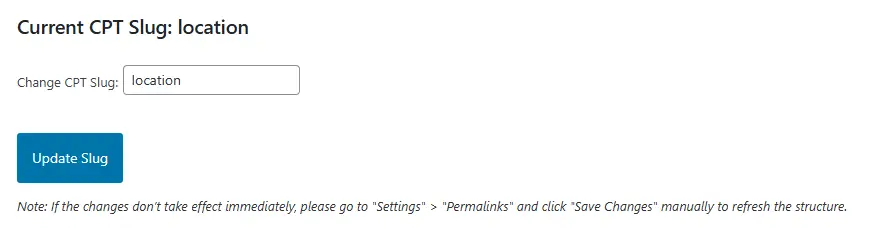
1. Custom Locations Slug
Want URLs that scream professionalism? The plugin lets you create custom slugs for your locations, ensuring clean, user-friendly URLs that improve SEO and user experience.
The default slug is “locations”, but we set ours to “web-design”.
e.g.
/web-design/northampton/
/web-design/cambridge/
/web-design/kettering/
etc…
It could just as easily be:
/removals/northampton
/removals/cambridge/
/removals/kettering/
etc…
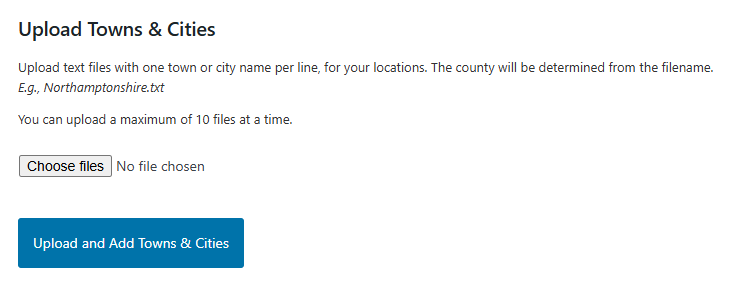
2. Easy Import for Bulk Locations
Gone are the days of manually inputting location details. With SEO Locations, you can import up to 10 locations at a time via text files, and it will even auto-create county taxonomies based on the filenames. No fuss, no drama—just a streamlined workflow that saves hours of effort.
3. Powerful Shortcodes
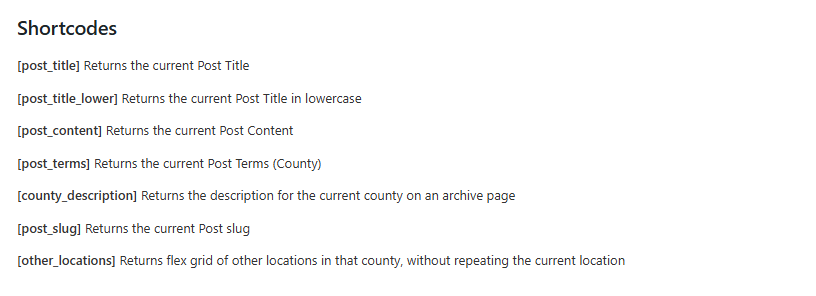
The plugin comes with a treasure trove of handy shortcodes to make your content creation even easier. Here’s the lineup of what they do:
- post_title: Returns the current Post Title
- post_title_lower: Returns the current Post Title in lowercase
- post_content: Returns the current Post Content
- post_terms: Returns the current Post Terms (County)
- county_description: Returns the description for the current county on an archive page
- post_slug: Returns the current Post slug
- other_locations: Returns a flex grid of other locations in the same county, without repeating the current location.
These shortcodes make dynamic content creation a breeze, allowing you to pull data effortlessly and ensure your location-specific pages are perfectly tailored.
4. Wipe on Delete
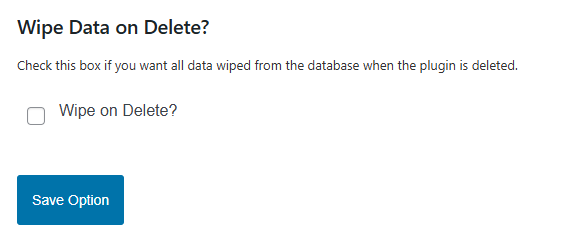
For those who like to keep their WordPress installs tidy, the plugin features a “Wipe on delete?” option. If enabled, deleting the plugin will also clean up after itself by removing all custom post type entries, taxonomies, and associated data. No clutter, no headaches—just a clean slate.
5. Embedded Assets
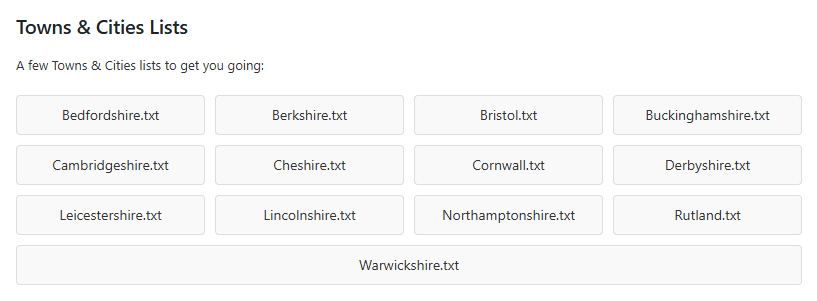
It even includes embedded assets to get you started. A bunch of locations for some counties, and a complete list of UK counties.
What Did We Achieve?
By harnessing the power of the SEO Locations plugin, we generated nearly 300 SEO-optimized pages, each targeted to a specific location. Every page boasts clean URLs, dynamic content tailored to its location, and internal linking that even Google couldn’t help but notice. Whether it’s a visitor from Northampton or Kettering, they’ll find a page that speaks directly to their needs.
And the best part? Creating these pages didn’t feel like a chore. With the bulk import feature and shortcodes doing the heavy lifting, we had time to focus on the fun stuff: making the pages beautiful and ensuring the site’s performance matched its sleek new design.
We Loved Every Minute of It!
We poured our hearts into both the website redesign and the development of the SEO Locations plugin. Building something this useful was immensely satisfying—and watching it in action felt like magic.

FREE DOWNLOAD
Download SEO Locations Plugin Now
If this sounds like something you’d love to use, complete the form below and we’ll instantly email you a copy of our plugin for free. We would appreciate your feedback.
In the meantime, check out the freshly redesigned BSolve IT Limited website. Explore the design, marvel at the local SEO functionality, and remember—you, too, could harness the power of the SEO Locations plugin for your own projects. Just don’t blame us if you end up feeling like an SEO wizard! ✨